taskbar
US
・UK
C2
n.NounA header on Microsoft Windows Explorer software
It helps me to display my taskbar when I am using Excel
Video subtitles
I tried using a Mac for 2 years. Here’s my review

- Then there's the taskbar.
Then there's the taskbar.
- What's this gap on the taskbar?
What's this gap on the taskbar?
The Real Reason You’re Undisciplined | Simple English Podcast | Learn English Podcast
- For example, keep the document you're working on open on your laptop, right there in your taskbar.
For example, keep the document you're working on open on your laptop, right there in your taskbar.
- For example, keep the document you're working on open on your laptop, right there in your taskbar so the first thing you see isn't social media, but
For example, keep the document you're working on open on your laptop, right there in your taskbar so the first thing you see isn't social media, but
How to Mod Smash Ultimate in yuzu (No Ultimate Mod Manager) [Alternative Method]
![How to Mod Smash Ultimate in yuzu (No Ultimate Mod Manager) [Alternative Method]](https://img.youtube.com/vi/MIHA8Yb50Fs/hqdefault.jpg)
- But I don't like to auto-update, so when it has started, you can just pin this to your taskbar and this is without the update.
But I don't like to auto-update, so when it has started, you can just pin this to your taskbar and this is without the update.
- But I don't like to auto-update, so when it has started, you can just pin this to your taskbar,
But I don't like to auto-update, so when it has started, you can just pin this to your taskbar,
English Vocabulary Builder: Using the Computer & Internet
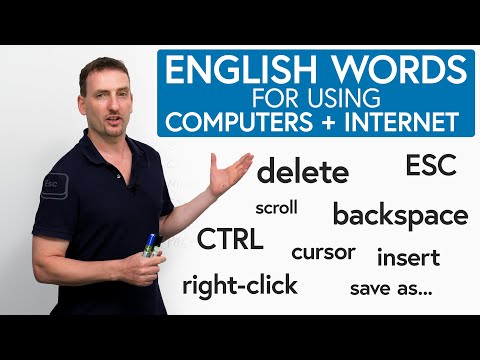
- If you open a new window and you want to go back and forth between windows, you always have to go down to your tray or to your taskbar at the bottom of your screen and click on the new window to go back and forth.
If you open a new window and you want to go back and forth between windows, you always have to go down to your tray or to your taskbar at the bottom of your screen and click on the new window to go back and forth.
- The bottom of your screen, that's called the taskbar.
The bottom of your screen, that's called the taskbar.
OLED Gaming Monitors Are Finally Affordable

- Image Retention Hide that taskbar.
Image Retention Hide that taskbar.
- Hide that taskbar, hide those desktop icons, hide your kids, hide your wife, set your wallpaper to black,
Hide that taskbar, hide those desktop icons, hide your kids, hide your wife, set your wallpaper to black,
you need to learn Virtual Machines RIGHT NOW!! (Kali Linux VM, Ubuntu, Windows)

- So if I right click my taskbar down here and click on Task Manager and click on Performance, I can see how much CPU and memory I'm using.
So if I right click my taskbar down here and click on Task Manager and click on Performance, I can see how much CPU and memory I'm using.
- So if I right-click my taskbar down here and click on Task Manager and click on performance, I can see how much CPU and memory I'm using.
So if I right-click my taskbar down here and click on Task Manager and click on performance, I can see how much CPU and memory I'm using.